The short answer
Buy for the control style you'll actually operate at 6:45am with one hand and no coffee in you yet, not for the one that looks most advanced on a spec sheet. A knob or a switch has fewer things that can go wrong and no menu to learn; a touchscreen adds features a dial physically cannot offer — saved presets, a running timer, a live readout — but it adds them on top of an extra circuit board, a ribbon cable and a firmware layer that a knob simply doesn't have.
The four machines in this comparison span that whole range. The Mr. Coffee 4-Shot Steam Espresso at $64.99 operates with the single-knob simplicity typical of steam-driven machines. The AERCANA 20 Bar at $99.99 is a compact pump machine whose listing describes switches and a milk frother, with no digital display mentioned anywhere in its specifications. The Chefman CraftBrew at $74.99 is sold explicitly as a "Digital Espresso Maker," with a button-and-LED panel that includes programmable shot volume. And the Hausmojo CM1620 at $164.99 is a bean-to-cup machine built around a full touchscreen, controlling a built-in burr grinder with 44 grind settings.
The four control styles in this catalogue
It helps to separate "control style" from "machine quality," because they're not the same axis. A knob machine and a touchscreen machine can both make a fine shot; the interface only changes how you get there and what happens when something goes wrong.
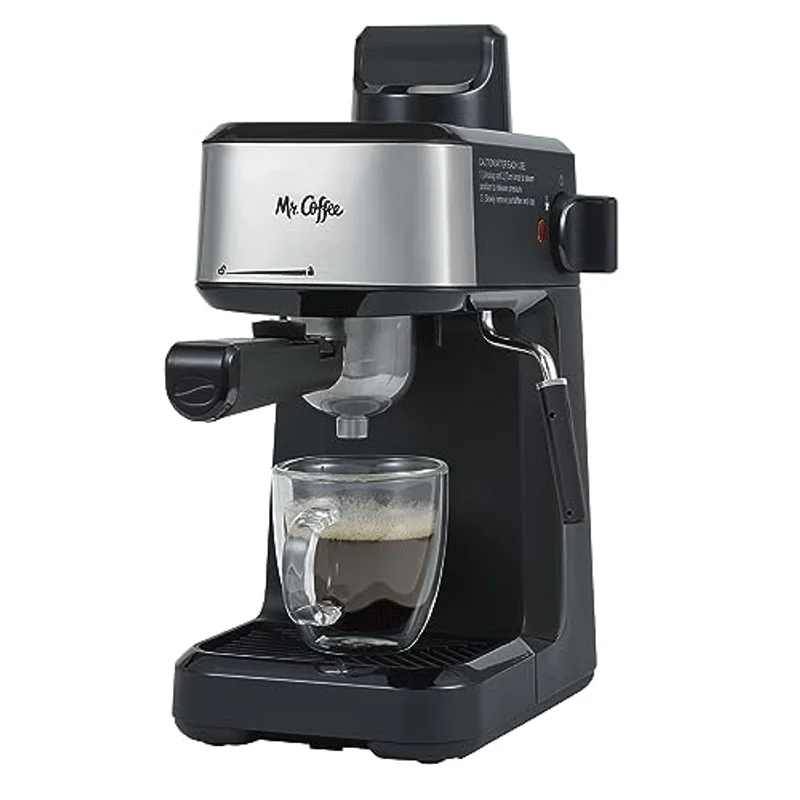
The steam knob. Classic steam-driven cappuccino makers like the Mr. Coffee 4-Shot use one dial to move between off, brew and steam, plus a separate power switch. There's no display, no memory, and nothing to configure — you turn the knob, you wait for a light to change, you pull the shot. It's the simplest interface in the category because the machine underneath it is the simplest: a steam boiler rather than a 15- or 20-bar pump, which is also why we cover it separately in what an espresso machine really costs to run when the conversation turns to running costs rather than control.
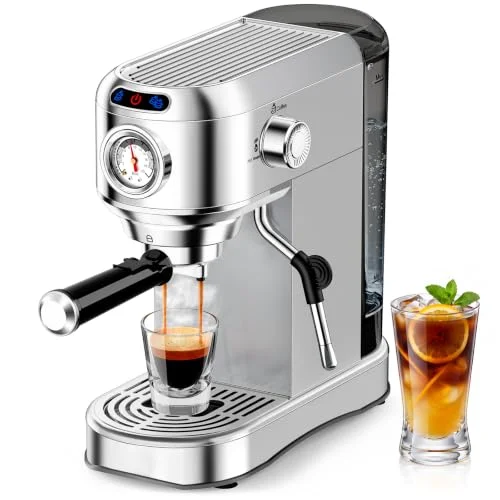
The manual switch or dial. One step up mechanically, a compact pump machine like the AERCANA 20 Bar typically runs on a small bank of switches: power, pump, and a separate control for the included milk frother. Nothing in its listing mentions a display, a preset menu or a digital timer, which places it firmly in the switch-and-dial camp alongside most pump machines under $200 that don't advertise "digital" anywhere in the title.
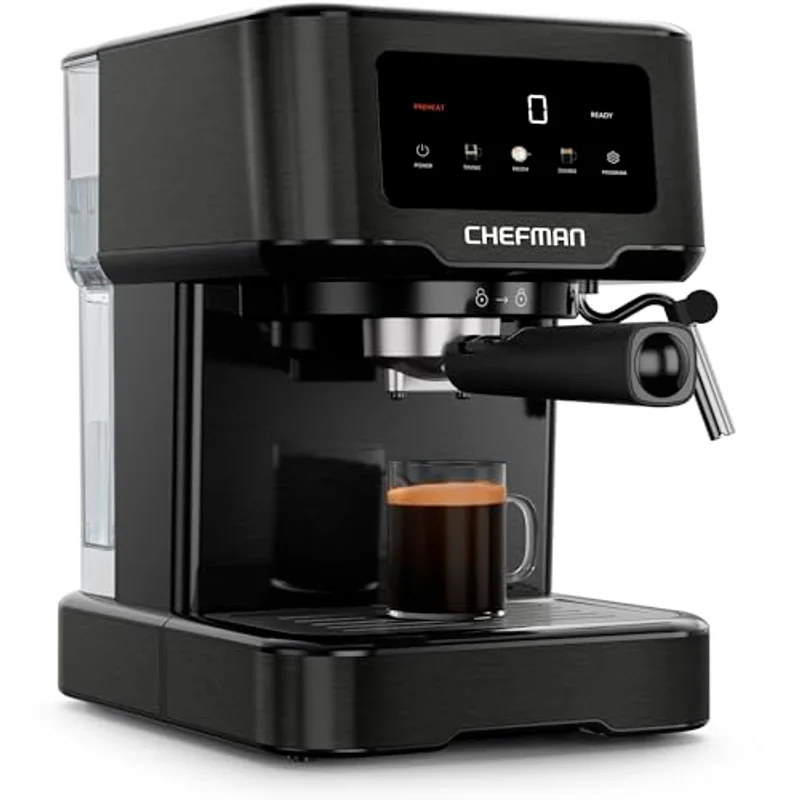
The digital button panel. The Chefman CraftBrew sits in the middle: a 15-bar pump machine sold as a "Digital Espresso Maker," with buttons and an LED readout rather than a touch-sensitive screen. It doesn't look like a smartphone, but it behaves like one in the one way that matters here — it can store a number rather than requiring you to eyeball a cup every time.
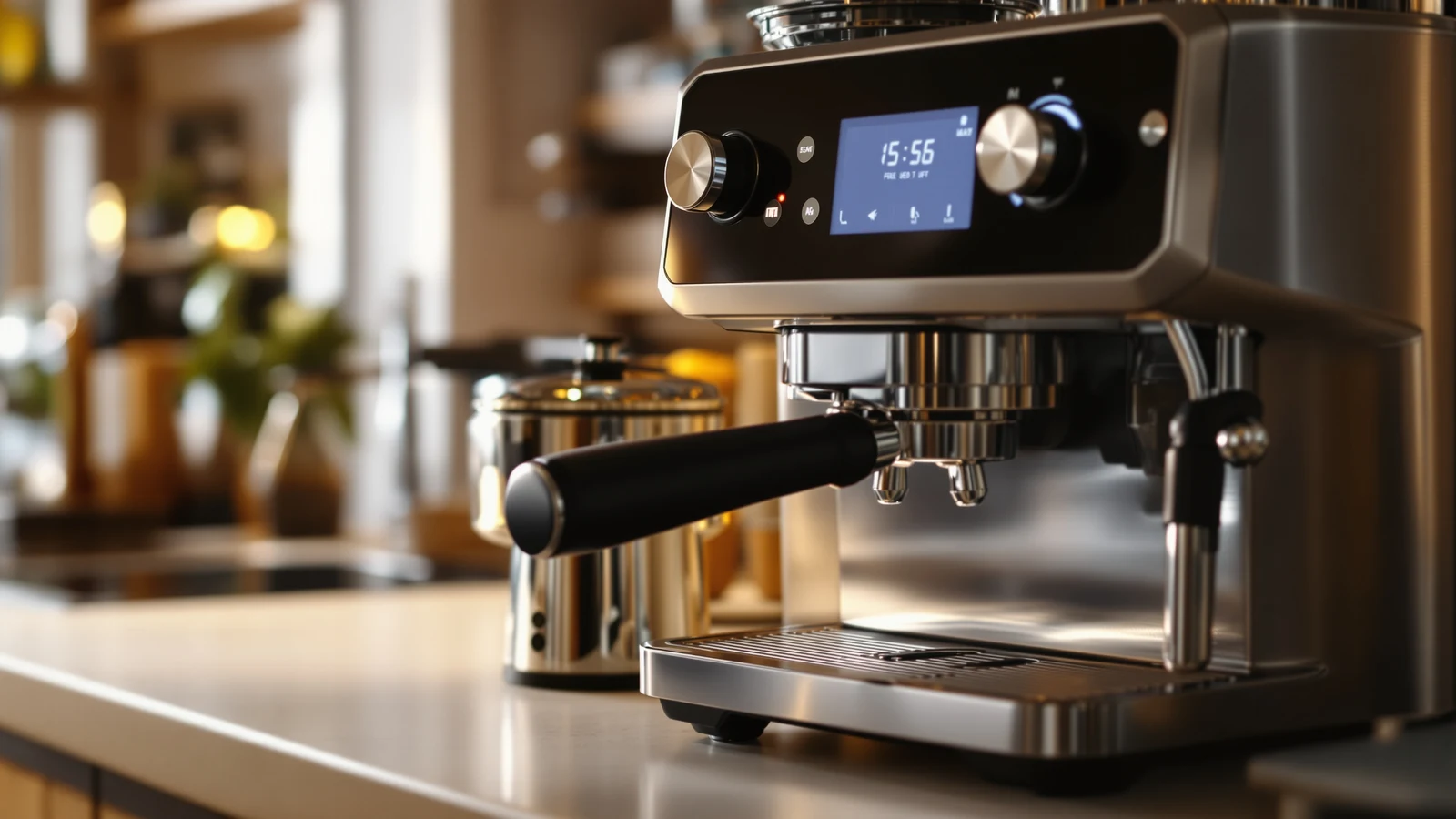
The touchscreen. The Hausmojo CM1620 is the only machine here built around a full touchscreen, and it's paired with the feature that most benefits from precise digital control: a built-in burr grinder with 44 grind settings. Fine adjustment across that many steps is far easier to present and select on a screen than on a single mechanical dial, which is likely why the two arrived together on this model rather than on the simpler machines.
Hausmojo CM1620
Bean-to-cup espresso machine with a 20-bar pump, a built-in burr grinder with 44 grind settings, a steam wand, and touchscreen control over the whole machine.
$164.99 Check price →
What a touchscreen actually adds
Strip away the marketing gloss and a touchscreen's real advantages come down to three things a dial cannot do at all: it can save a setting, it can count time visibly, and it can show you a number instead of asking you to guess.
Presets. A dial has as many positions as it has physical stops — a steam knob has three: off, brew, steam. A touchscreen can, in principle, offer a saved single, a saved double, and a custom setting, because a preset on a screen costs nothing but a line of firmware; a preset on a mechanical dial would cost another physical detent. On the Hausmojo, the practical version of this is the 44-step grind selection: choosing setting 18 instead of 19 on a screen is a tap, where the same precision on a mechanical grind collar would require a much finer, harder-to-read mechanism.
Timers. Espresso extraction is timed in seconds, and a visible running clock removes the need to count in your head or watch a separate kitchen timer. This is a category-level advantage of digital control generally, on both button panels and touchscreens — it doesn't require a screen specifically, just a display.
Live readouts. A number on a screen — remaining water, a grind step, a stored volume — replaces a guess. Compare that with a knob machine's usual feedback, a single indicator light for "ready," which tells you the boiler is hot and nothing else. For more on why that "ready" light doesn't mean what people assume, see warm-up time and shot consistency.
None of this makes the shot itself better. A touchscreen doesn't grind more evenly or tamp more evenly than a knob-controlled machine with the same grinder and pump — it just makes the machine easier to operate precisely and easier to repeat exactly, which matters most on a machine like the Hausmojo where the grind step is the main variable you're meant to be adjusting.
Where a dial is genuinely more reliable
The case for a knob or a switch isn't nostalgia, it's mechanics: fewer parts means fewer failure points, and the parts a knob does have tend to fail in ways you can see and often fix yourself.
A steam knob or a power switch is a single mechanical component wired directly to what it controls. If it fails, it usually fails obviously — it won't turn, or it turns but nothing happens — and the fix, in many cases, is a switch that costs a few dollars rather than a circuit board. There is no menu to navigate around a fault and no firmware to consider; the mechanism you're troubleshooting is exactly the mechanism you touched to turn it on.
This is also why simple control tends to travel with simple machines: the Mr. Coffee 4-Shot's single-knob design pairs with a steam boiler rather than a pump, and the AERCANA's switches pair with an otherwise conventional pump machine. Fewer inputs to the interface generally means fewer functions underneath it that could break in the first place — the interface is honest about the complexity of the machine behind it.
The trade-off is capability, not durability of the good kind. A dial cannot store a preset or show you a countdown no matter how well it's built, and that ceiling is permanent. If the appeal of a digital or touchscreen machine is genuinely the grind precision or the stored volume, a knob machine will never catch up on that axis regardless of how well its steam valve is machined.
Programmed shot volumes: useful or gimmick
Of the four machines here, it's the Chefman CraftBrew's digital panel that carries the clearest example of this feature: a programmable shot-volume control that lets you set a stopping point rather than eyeballing the cup and lifting the switch by hand.
Used well, this is genuinely useful, and the mechanism is straightforward. A double shot is conventionally judged by the ratio of water in to liquid out — pull a ristretto short and it comes out concentrated, pull a lungo long and it comes out diluted. A stored volume means you can decide that ratio once, deliberately, and then repeat it every morning without watching the cup or reacting a half-second late. That consistency is worth more than it sounds on a machine with no scale and no visible flow indicator.
Used badly, it becomes a gimmick that papers over a real problem. A programmed volume enforces a stop time, not a good extraction — it has no way to know whether the puck is choking on too fine a grind or racing through on too coarse a one. Stop a bad shot at the "usual" volume and you get a consistently bad shot instead of an inconsistent one. If your espresso already tastes wrong, the fix is the grind and the dose, not the stored number; our guide to why your espresso tastes bitter walks through that diagnosis before you touch the volume setting at all.
The honest verdict: programmed volume is a convenience layer on top of a shot you've already dialled in, not a substitute for dialling one in. It saves attention on a shot you already know is good. It cannot create one that wasn't.
Chefman CraftBrew
15-bar pump digital espresso maker with a steam wand and a 1.5-liter removable water reservoir. Digital panel includes programmable shot volume.
$74.99 Check price →
What breaks first, digital or mechanical
Every control style has a predictable weak point, and it's worth knowing which one you're signing up for before the machine is out of warranty.
On a knob or switch machine, the parts that wear are the ones you touch: a steam knob's internal valve and its O-ring or gasket are the classic failure points on steam-driven machines generally, and a power or mode switch can develop a loose or intermittent contact after enough cycles. These are mechanical, visible failures — the knob feels loose, or the light flickers when you jiggle the switch — and on many machines in this class they're the kind of thing a component-level repair can address, rather than a full unit replacement.
On a digital panel or touchscreen, the more common failure mode is electronic rather than mechanical: membrane buttons that stop registering presses, a display that dims or stops lighting, or firmware that stops responding to input and needs a power cycle to reset. A touchscreen adds one more specific weak point that a button panel doesn't have — the touch-sensitive surface itself, which can degrade or become unresponsive in the exact spot you tap most, typically the confirm or start button. Water and steam splash near any espresso machine's control area, and a sealed membrane button generally tolerates that better than a bare capacitive touch surface a few inches from the steam wand.
Neither failure mode is a documented reliability statistic for any specific machine in this comparison — we don't have owner-reported failure data for these four, and we won't invent it. What's stated above is how each category of control mechanism is generally known to age, not a claim about how long any one of these particular units will last.
The four, side by side
Same four machines, sorted by control style from simplest to most digital. Prices below are what our database recorded most recently: September 15, 2026 for the AERCANA, August 21, 2026 for the Mr. Coffee. The Chefman and Hausmojo prices are current listing prices without a specific recorded date. All of them move on Amazon — confirm the live price before buying.
| Machine | Control style | Grinder | Milk | Price | |
|---|
 Mr. Coffee 4-Shot Steam Espresso Mr. Coffee 4-Shot Steam Espresso | Single steam knob | None | Stainless frothing pitcher | $64.99 | Price |
 AERCANA 20 Bar Compact AERCANA 20 Bar Compact | Manual switches | None | Milk frother | $99.99 | Price |
 Chefman CraftBrew Chefman CraftBrew | Digital button panel | None | Manual steam wand | $74.99 | Price |
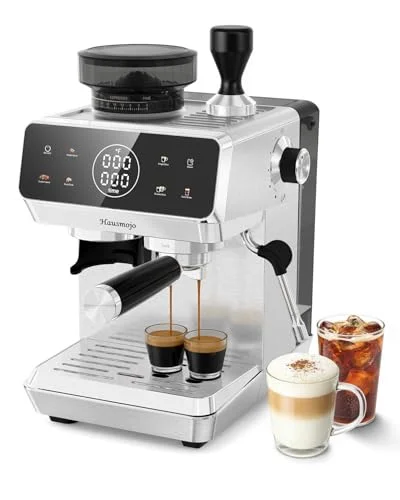 Hausmojo CM1620 Hausmojo CM1620 | Touchscreen | Built-in burr, 44 settings | Manual steam wand | $164.99 | Price |
The picks, by control style
01Simplest control
Mr. Coffee 4-Shot Steam Espresso
One knob, nothing to learn
Steam-driven · single control knob · stainless steel frothing pitcher · 4-Shot capacity
If the goal is the fewest things that can confuse you or break down, this is the pick: one knob moves between off, brew and steam, and the included stainless frothing pitcher handles milk without any electronics involved at all. There's no display to learn and no firmware to update — just a knob, a light, and a pitcher.
02Switch and dial
AERCANA 20 Bar Compact
A real pump machine with no screen to worry about
20-bar pump · manual switches · milk frother · 34-oz removable water tank
For a buyer who wants a genuine pump machine rather than a steam-driven one, but still wants to skip digital menus entirely, the AERCANA is the one on this list without a display anywhere in its listing. Its compact footprint and 34-ounce tank make it a reasonable single-person machine that operates entirely on switches.
03Digital panel
Chefman CraftBrew
Programmable volume without a touchscreen
15-bar pump · digital button panel · programmable shot volume · 1.5-liter reservoir
The middle ground: a real digital interface with programmable shot volume and a manual steam wand, at a price closer to the steam-driven Mr. Coffee than to the touchscreen Hausmojo. If a stored volume is the one digital feature you actually want, this is the cheapest way to get it.
04Full touchscreen
Hausmojo CM1620
A grinder precise enough to need a screen
Bean-to-cup, 20-bar pump · touchscreen control · built-in burr grinder, 44 settings · steam wand
The only touchscreen machine here, and the only one with a built-in grinder — the two arrive together, and a 44-setting grinder is exactly the kind of fine adjustment a screen presents more legibly than a mechanical dial could. Our grind settings guide covers what that many steps actually buys you.
How we compared these
We compare published specifications, what's stated in each Amazon listing, and live pricing — we do not physically test these machines and we do not run a testing lab. Where a listing doesn't mention a feature, such as a display on the AERCANA, we treat that as an absence worth noting rather than grounds to guess either way. General mechanical points in this piece — that fewer parts generally mean fewer failure points, that membrane buttons tend to tolerate splashes better than bare touch surfaces, that a stopped shot volume can't diagnose a bad grind — are standard, non-product-specific engineering and espresso facts rather than claims about how any one of these four machines will hold up over time.
We also don't publish star ratings or paraphrase review sentiment anywhere on this site: Amazon's product data returns no rating or review count for the machines here, so there's nothing to report honestly, and we'd rather say that plainly than invent one. What you'll find instead is what each control style structurally can and can't do, and the trade-off between simplicity and capability that follows from it — the same trade-off we cover from the cost side in what an espresso machine really costs to run.
Frequently asked questions
Is a touchscreen espresso machine actually harder to fix than a knob machine?
Generally, yes, for the person who owns it. A knob or switch failure is usually a single, visible mechanical part — a valve, a gasket, a contact — that a component-level repair can often address. A touchscreen failure is more likely to be electronic: a dead display, an unresponsive touch surface or firmware that needs a reset, which typically means sending the unit out or replacing the whole control board rather than one small part.
Does a programmable shot volume improve the taste of espresso?
No — it improves consistency, not quality. A programmed volume repeats whatever ratio of water to coffee you set, including a bad one. It has no way to sense whether the grind or dose behind that shot is correct, so it's most useful once you've already dialled in a shot you like and want to stop watching the cup for, not as a fix for espresso that already tastes wrong.
Why does the AERCANA not have a digital display if it costs more than the Chefman?
Price and control style aren't the same axis. The AERCANA's higher price reflects its 20-bar pump, larger 34-ounce tank and included milk frother, not a digital interface — its listing doesn't mention a display at all. The Chefman is cheaper but includes a digital panel because the two machines are built around different priorities, not a simple better-or-worse ranking.
Do all touchscreen espresso machines have built-in grinders?
Not necessarily, but the two tend to appear together, and the Hausmojo CM1620 in this comparison is a clear example: a touchscreen presenting 44 grind settings is easier to read and select correctly than the same number of steps on a mechanical dial. A touchscreen can exist without a grinder, but fine-step grind selection is one of the clearest reasons to add one.
Keep reading